
modal_bottom_sheet
v3.0.0Create awesome and powerful modal bottom sheets. Material, Cupertino iOS 13 or create your own style
Архив пакета: https://pubdev.letsnova.ru/api/archives/modal_bottom_sheet/3.0.0.tar.gz
dart pub add modal_bottom_sheetREADME
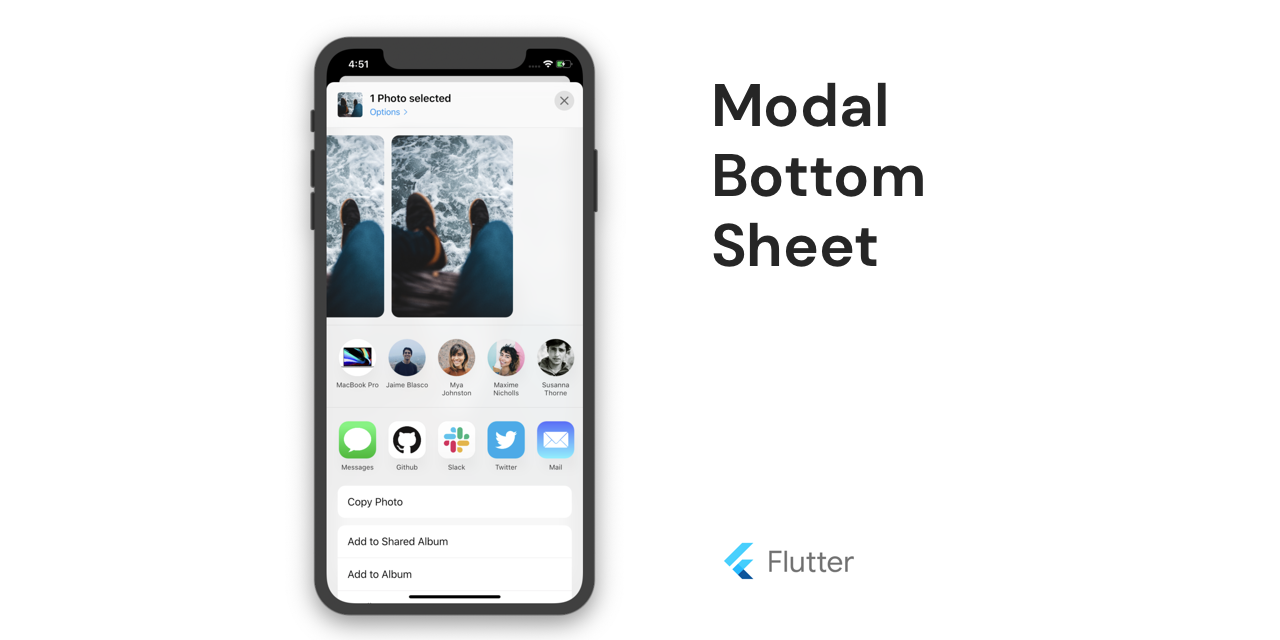
Flutter Modal Bottom Sheet


Create awesome and powerful modal bottom sheets.
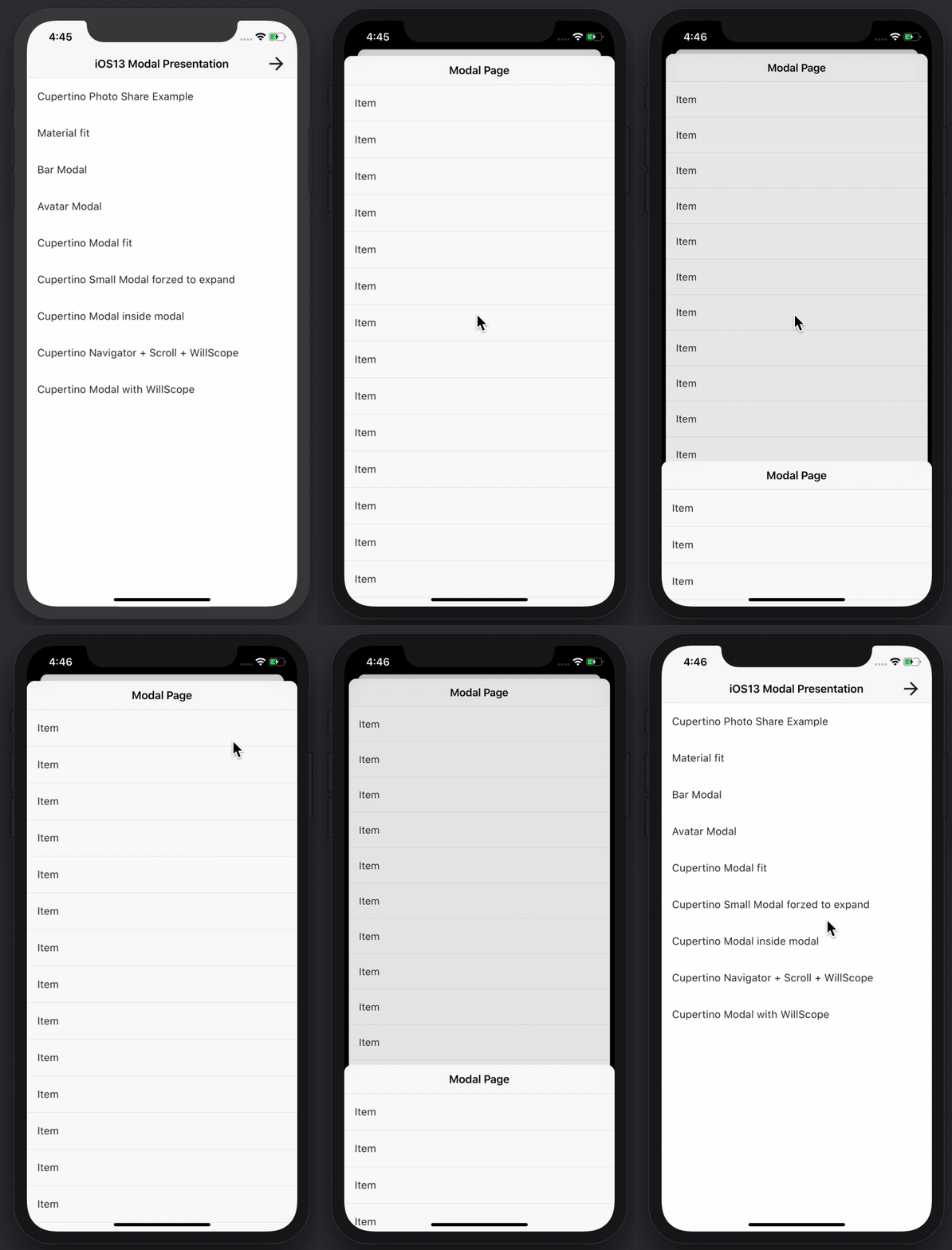
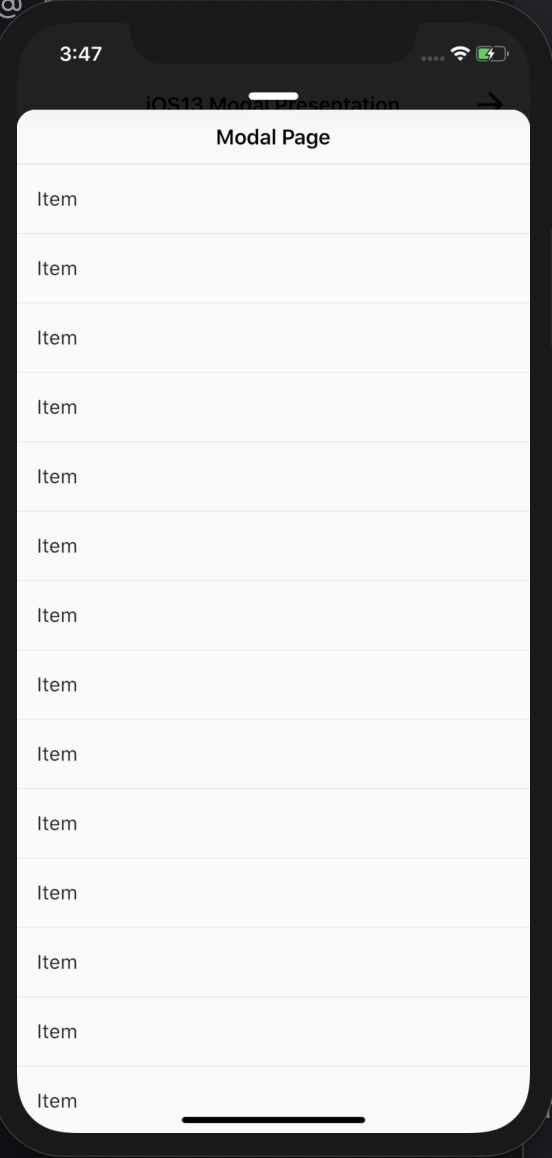
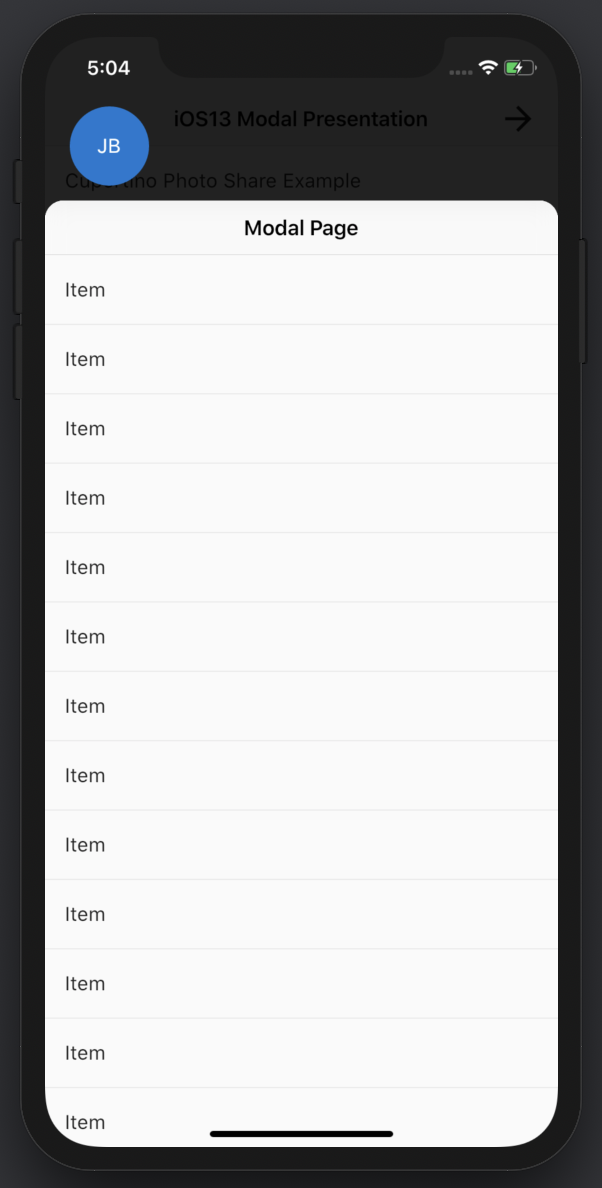
| Cupertino Modal | Multiple Modals | Material Modal | Bar Modal | Create your own |
|---|---|---|---|---|
 |
 |
 |
 |
 |
Try it
Explore the Web Demo or clone the repository.
Why not showModalBottomSheet?
Inspired by showModalBottomSheet, it completes with some must-need features:
- Support for inside scrollview + dragging down to close (
showModalBottomSheetwon't work correctly with scrollviews. - Support for
WillPopScopeto prevent closing the dialog. - Support for scroll to top when tapping status bar (iOS only)
- Support for top SafeArea (not supported by showModalBottomSheet)
- Cupertino modal bottom sheet
- Create custom modal bottom sheet
First Steps
How to install it? Follow Instructions
Material Modal BottomSheet
showMaterialModalBottomSheet(
                  context: context,
                  builder: (context) => Container(),
                )
Generic params for all modal bottom sheets
| Param | Description |
|---|---|
| bool expand = false | The expand parameter specifies id the modal bottom sheet will be full screen size or will fit the content child |
| bool useRootNavigator = false | The useRootNavigator parameter ensures that the root navigator is used to display the bottom sheet when set to true. This is useful in the case that a modal bottom sheet needs to be displayed above all other content but the caller is inside another Navigator. |
| bool isDismissible = true | The isDismissible parameter specifies whether the bottom sheet will be dismissed when user taps on the scrim. |
| Color barrierColor | The barrierColor parameter controls the color of the scrim for this route |
| bool enableDrag = true | The enableDrag parameter specifies whether the bottom sheet can be dragged up and down and dismissed by swiping downwards. |
| AnimationController secondAnimation | The secondAnimation parameter allows you to provide an animation controller that will be used to animate push/pop of the modal route. Using this param is advised against and will be probably removed in future versions |
| bool bounce = false | The bounce parameter specifies if the bottom sheet can go beyond the top boundary while dragging |
| Duration duration = const Duration(milliseconds: 400) | The duration of modal opening |
| double closeProgressThreshold = 0.6 | The closeProgressThreshold specifies when the bottom sheet will be dismissed when user drags it. |
Material params
The optional backgroundColor, elevation, shape, and clipBehavior parameters can be passed in to customize the appearance and behavior of material bottom sheets.
Using it with a scroll view inside
Assign the ModalScrollController.of(context) to your primary modal to sync the scroll with the modal's drag
showMaterialModalBottomSheet(
                  context: context,
                  builder: (context) => SingleChildScrollView(
                    controller: ModalScrollController.of(context),
                    child: Container(),
                  ),
                );
Cupertino Modal BottomSheet
iOS 13 came with an amazing new modal navigation and now it is available to use with Flutter.
showCupertinoModalBottomSheet(
                  context: context,
                  builder: (context) => Container(),
                )
See generic paramameter in the Material section above
Cupertino specific params
The optional backgroundColor parameters can be passed in to customize the backgroundColor cupertino bottom sheets.
Useful if you want a blurred transparent background as the example Cupertino Photo Share
CAUTION!: To animate the previous route some changes are needed.
Why?
MaterialPageRouteandCupertinoPageRoutedo not allow animated translation to/from routes that are not the same type.
Replace your current route class with MaterialWithModalsPageRoute.
Notice this route type behaves the same as MaterialPageRoute and supports custom PageTransitionsBuilder and PageTransitionsTheme.
How can I replace my current route?
1.
Using Navigator.of(context).push
Navigator.of(context).pushNavigator.of(context).push(MaterialPageRoute(builder: (context) => Container()));`
Replace it with
Navigator.of(context).push(MaterialWithModalsPageRoute(builder: (context) => Container()));
2.
Using onGenerateRoute parameter of MaterialApp, CupertinoApp or Navigator
onGenerateRoute parameter of MaterialApp, CupertinoApp or NavigatoronGenerateRoute: (settings) {
...
return MaterialPageRoute(settings: settings, builder: (context) => Container());
},
Replace it to
onGenerateRoute: (settings) {
                  ...
                   return MaterialWithModalsPageRoute(settings: settings, builder: (context) => Container());
                },
3.
Using pageRouteBuilder parameter of WidgetApp
pageRouteBuilder parameter of WidgetApppageRouteBuilder: <T>(RouteSettings settings, WidgetBuilder builder) => MaterialWithModalsPageRoute<T>(settings: settings, builder: builder)
4.
Using routes parameter from MaterialApp or CupertinoApp
routes parameter from MaterialApp or CupertinoAppUnfortunately this parameter uses MaterialPageRoute and CupertinoPageRoute respectively and cannot be changed.
You can modify the way you call the previous route with one of the previous methods or try option 2
Is there an alternative in case I can't change my current route? Yes!
Learn how to animate previous route with CupertinoScaffold:
- Wrap previous route inside a
CupertinoScaffold. Example withroutesparameter fromMaterialApporCupertinoApp
  routes: <String, WidgetBuilder>{
                    '/previous_route_where_you_push_modal': (BuildContext context) => CupertinoScaffold(body: Container()),
                   },
- Push modal with this method
CupertinoScaffold.showCupertinoModalBottomSheet(context:context, builder: (context) => Container())
Don't use this solution at the same time as MaterialWithModalsPageRoute
It supports native features as bouncing, blurred background, dark mode, stacking modals and inside navigation.
Push new views inside the modal bottom sheet
a. If you want to push a new modal bottom sheet just call showCupertinoModalBottomSheet again (works with both options)
b. For inside navigaton add a new Navigator or CupertinoTabScaffold inside
c. Also it supports flutter features as WillPopScope to prevent the modal bottom to be closed.
Build other BottomSheets
Try showBarModalBottomSheet for a bottomSheet with the appearance used by Facebook or Slack
Check in the example project showAvatarModalBottomSheet for how to create your own ModalBottomSheet
Questions
Ask a question and ping me @jamesblasco
Found an issue or have a proposal?
Roadmap
-
Support closing by dragging fast on a modal with a scroll view.
-
Improve animation curves when user is not dragging.
-
Allow to set the initial size of the bottom sheet
-
Support hero animations Pull Request #2

История изменений
3.0.0 - Flutter 3.19
- Migrates to Flutter 3.19
- ModalBottomSheetRoute has been renamed to ModalSheetRoute
- WillPopScope support will be replaced for PopScope functionality
3.0.0-pre - Flutter 3.7
- Migrates to Flutter 3.7
- ModalBottomSheetRoute has been renamed to ModalSheetRoute so it does not conflict with the new class from Flutter 3.7
2.1.1
- Bug fixes
2.1.0 - Flutter 3.0
- Migrates to Flutter 3.0
- Use PageRoute to allow Hero animations
2.0.1 - Small fixes
- Fixes bug with will pop scope
- Replaces VelocityTracker deprecated constructor
- Add optional RouteSettings to all showModal methods
2.0.0-nullsafety.1 - Null Safety support
- Fixes #119 & #113
1.0.0 - An optimized modal + Breaking change
- An optimized builder function.
- The
builderparam has changed from:
showMaterialModalBottomSheet(
                  context: context,
                  builder: (context, scrollController) {
                       return SingleChildScrollView(
                        controller: scrollController,
                        child: Container()
                      )
                  },
                )
to
showMaterialModalBottomSheet(
                  context: context,
                  builder: (context) {
                      return SingleChildScrollView(
                        controller: ModalScrollController.of(context),
                        child: Container()
                      )
                  },
                )
Now you can access the modal's scrollController from any inside widget like ModalScrollController.of(context).
[1.0.1-dev] - Fix instance member 'opaque' can't accessed in an initalizer.
[1.0.0-dev] - Improved performance and breaking change
- The
builderparam has changed from:
showMaterialModalBottomSheet(
                  context: context,
                  builder: (context, scrollController) {
                       return SingleChildScrollView(
                        controller: scrollController,
                        child: Container()
                      )
                  },
                )
to
showMaterialModalBottomSheet(
                  context: context,
                  builder: (context) {
                      return SingleChildScrollView(
                        controller: ModalScrollController.of(context),
                        child: Container()
                      )
                  },
                )
- Appart from the visual change, with this changes you can access the controller from every inner widget without having to pass the controller to every constructor. Also now the builder method will be called only once. Before it was calling multiple times while the modal was being animated.
[0.2.1+2] - Reverse fix Flutter 22 beta breaking change
[0.2.1+1-dev] - Fix Flutter 22 beta breaking change
[0.2.0+1] - ScrollView bug fix
- Fix bug when scrollview was not used
[0.2.0] - New Cool Features
- Added support for scroll-to-top by tapping the status bar on iOS devices.
- Use
curveAnimationto define a custom curve animation for the modal transition - Bug fixes releated to horizontal scroll, clamping physics and othes.
[0.1.6] - New custom params
- Use
durationto define the opening duration of the modal - Change the top radius of the cupertino bottom sheet Thanks to @bierbaumtim @troyanskiy @rodineijf for the contributions
[0.1.5] - Scroll improvements and bug fixes
- Support for closing a modal with a scroll view by dragging down fast.
- Fix assertion in CupertinoBottomSheet and BottomSheetRoute when using the CupetinoApp or WidgetsApp as root
- Fix assertion when scrollController isn't used by the builder